
What to have ready before the payment arrives
Ask the sender for the payer’s name, the amount and currency you should receive, and the order or invoice reference. Keep the record that explains the payment, such as an invoice, order confirmation or agreement. You may need it if Alipay asks for supporting documents.
Set up receiving if this is your first cross-border payment
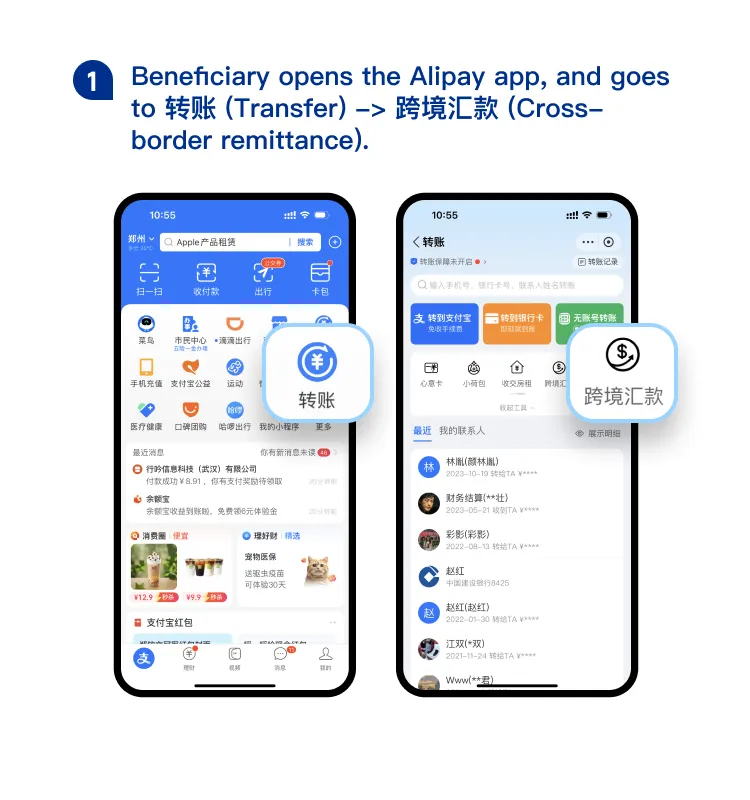
In Alipay, open 转账 (Transfer), then 跨境汇款 (Cross-border remittance). You can also search for 跨境汇款 from the Alipay home screen.
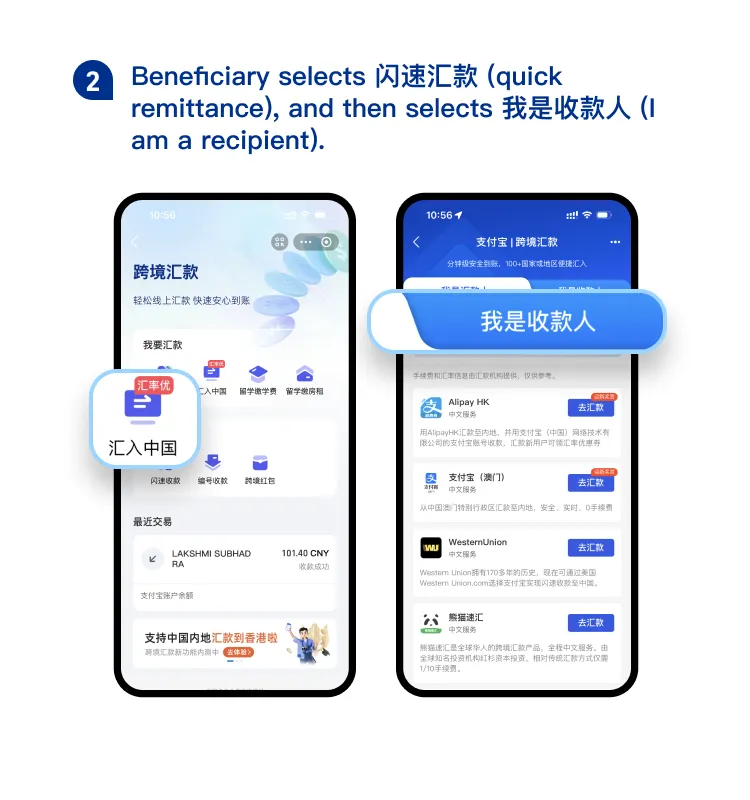
Open 闪速汇款 (Quick remittance) and select 我是收款人 (I am a recipient).
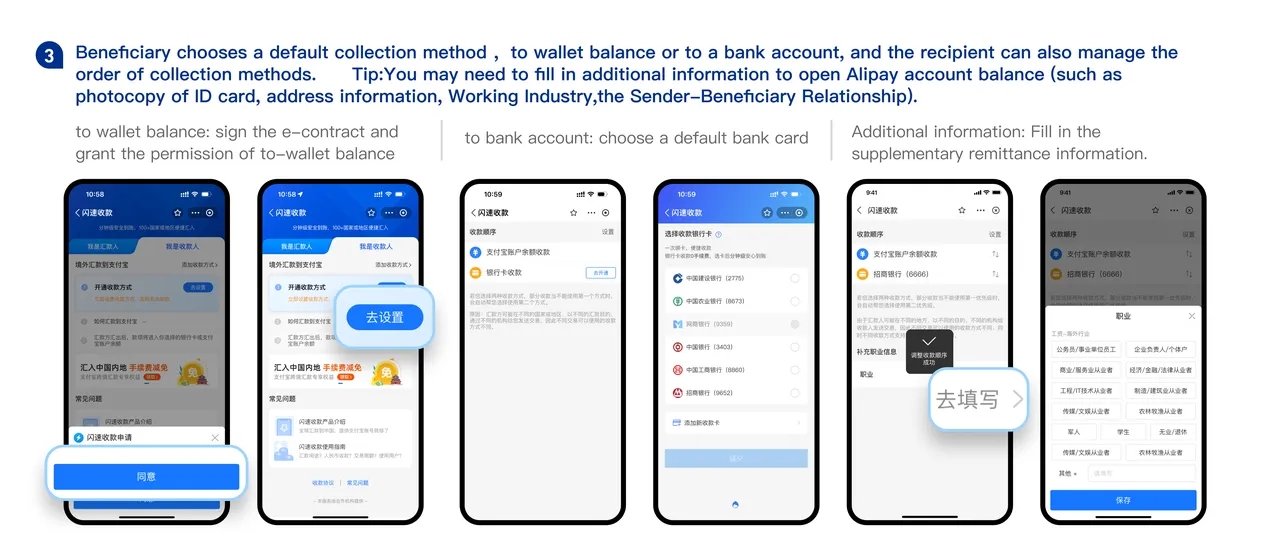
Choose a receiving method from the options Alipay shows you. To receive into your Alipay balance, accept the electronic agreement and enable balance receiving. For a bank account, select a default bank card. If both options are available, you can set their order of preference.
Fill in any additional information Alipay asks for. This may include proof of identity, your address, the industry you work in or your relationship with the sender.
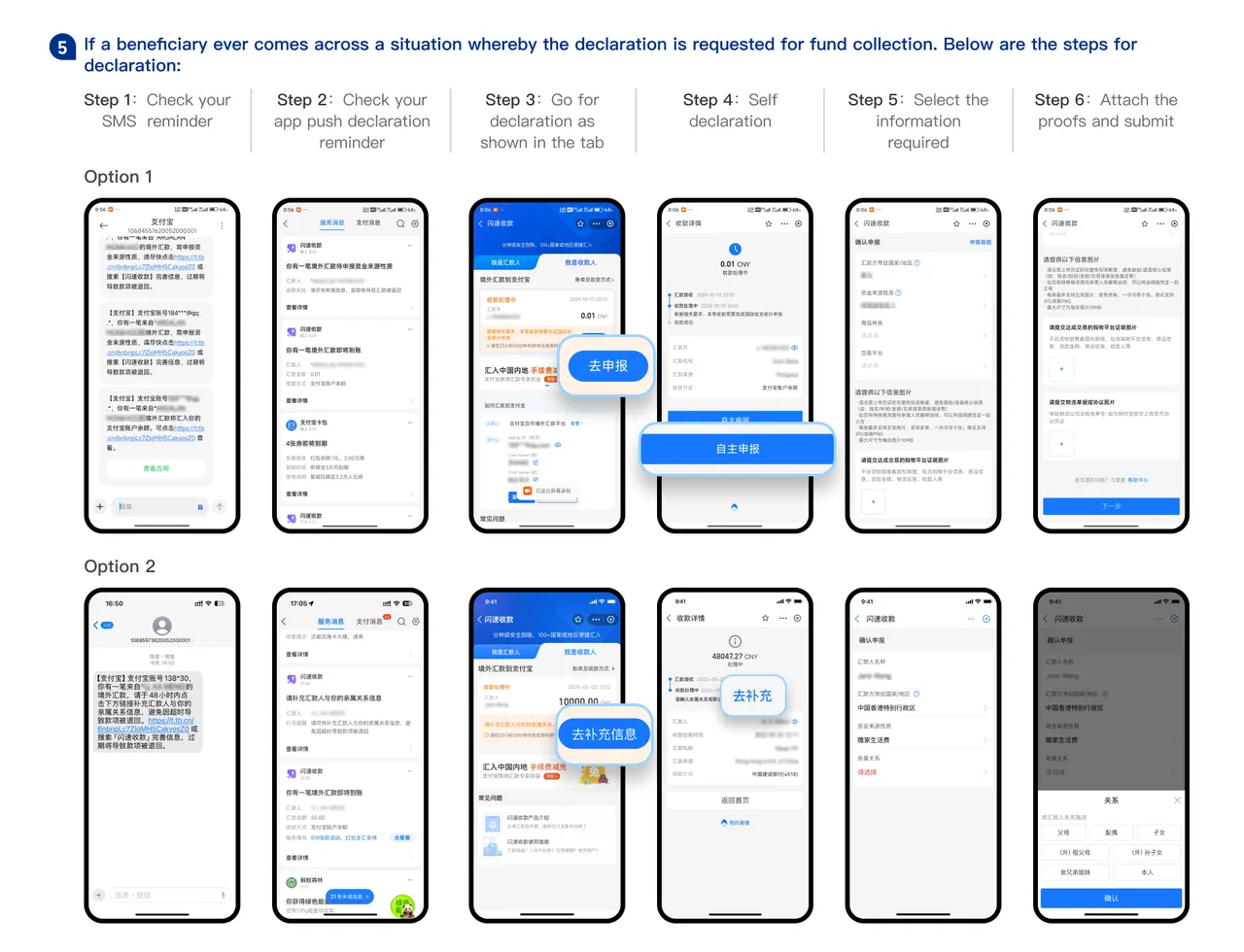
Complete the declaration if Alipay asks for one
Alipay can remind you by SMS or through its service notifications. Open Alipay and check the deadline in the payment notice. In 我是收款人 (I am a recipient), tap 去申报 (Declare), then 自主申报 (Self-declare).
Check that the transfer matches the payment you’re expecting. Alipay may ask where the sender is based, where the funds come from, what the payment covers or where the order was placed. If a detail is unclear, check it with the sender before submitting.
Upload the documents Alipay requests as JPG or PNG files, up to 10 MB each. An order record or invoice can show what the payment covers. If Alipay asks for shipping details or an agreement, use the record for that payment. Check that each file is readable.
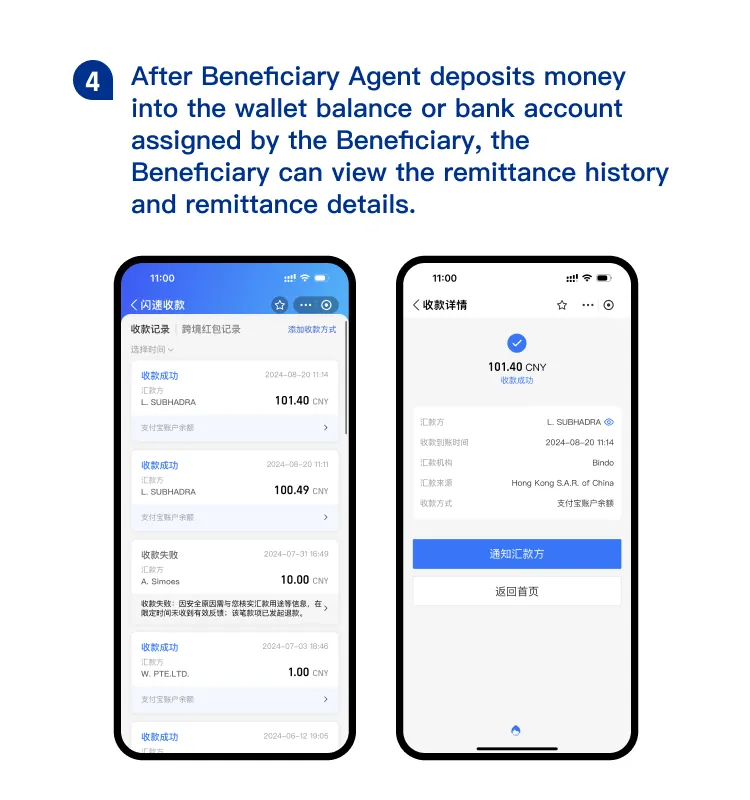
Review your answers and submit the declaration by the deadline. Then check your remittance history for the credit. When it appears, confirm the amount received with the sender so they can match it to the order.
Get help if the payment hasn’t arrived
If there’s no payment notice, check your remittance history and ask the sender to confirm the recipient details they used. For help with the declaration, including if you can’t submit it by the deadline, contact Alipay through the app and let the sender know.
If you still can’t find the transfer, the deadline has passed, or you’ve submitted the declaration and the credit is still missing, tell the sender what you see in Alipay. Ask them to contact Kanzum with their payment reference.